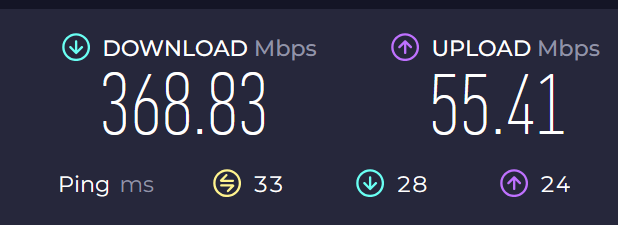
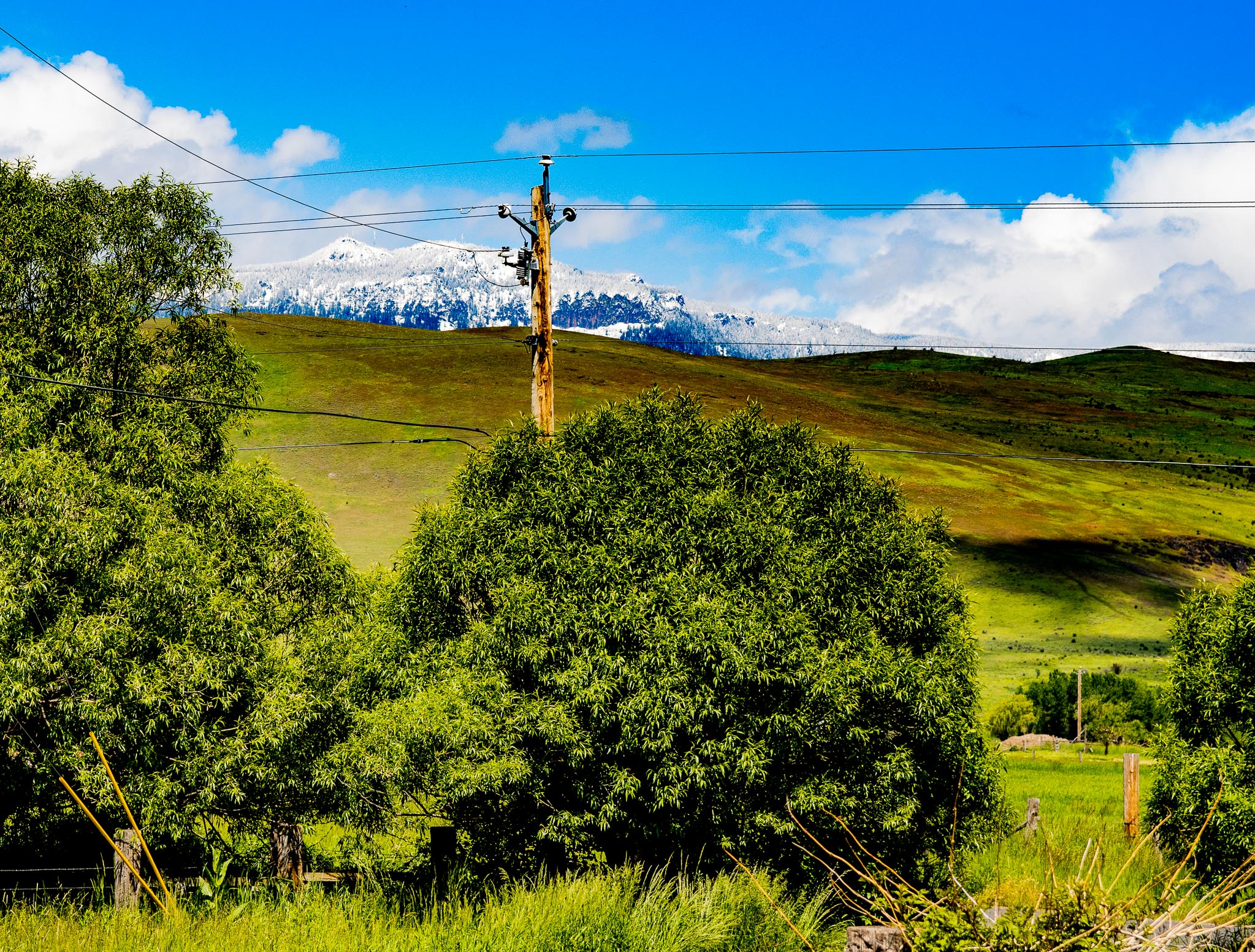
 So I recently got Starlink for our rural home. Speeds are good, much better than the horrible “radio” internet we used to have, which is the only other choice when the view off your porch looks like the above photo.
But about half the Internet was unreachable about 2 days after we got it. It’s a CGNAT issue common with satellite internet.
They made me go around and around with an AI “Help” bot telling me “HAVE YOU TRIED TURNING IT OFF AND ON AGAIN”?, hours a day for 6 days before they escellated the ticket to a human, who solved it quickly.
This is one tiny bit of the exchange (of which the human later said “I reviewed the interaction, and it was almost comically robotic.”)
This is about 1/8 of the total week of conversation with the robot:
Starlink Assistant
Chat powered by Grok
Hi Michael! How can I help?
It is not fixed. And I tried it on a second computer that I changed the DNS the same way (8.8.8.8 and 1.1.1.1) THIS IS SO FRUSTRATING. I’ve been losing sleep over this for several nights. I’m not tech illiterate (for a human. lol) I’m a tech writer.
I’m sorry the site blocking persists on your second computer too after the power cycle and DNS changes (8.8.8.8/1.1.1.1), Michael—that’s frustrating, especially with the sleep loss. I’ll run a quick diagnostic on your router now to check the current public IP and status (it should be public post-Residential upgrade, not CGNAT 100.x.x.x).
I’m sorry for the continued frustration, Michael—your router diagnostic confirms it’s online with custom DNS but still unexpectedly on CGNAT IP (100.77.76.25), blocking sites like starlink.com despite the Residential upgrade. Please power cycle the entire kit (unplug dish and router power for 30 seconds, plug back in), then test sites and check/share your public IP at whatismyipaddress.com.
Did we resolve your issue?
How will that help? I just did that reboot. I turned it off for 3 minutes, and it came back to the same issue. Did you do something different?
I’m sorry the previous power cycle didn’t resolve it, Michael—a full kit reboot (unplugging both the dish power and router for 30 seconds, then plugging router first, then dish) forces a fresh IP assignment from the network, which should switch you to the public IP expected on Residential (not CGNAT 100.x.x.x). After, test sites and share your public IP from whatismyipaddress.com.
Did we resolve your issue?
The dish power and router, aren’t they just on one plug? I have to whitish boxes on one AC plug that the installer brought for me.
Yes, Michael—for your Gen 3 kit, there’s one power supply (the whitish box the installer provided) that powers both the dish and router via a single AC plug. Unplug that power cord from the wall for 30 seconds, plug it back in (it’ll boot router first, then dish), then test the sites and share your public IP from whatismyipaddress.com.
Did we resolve your issue?
ok
Great, Michael—take your time with the full power cycle (unplug the single whitish power supply for 30 seconds, plug back in), then test if sites load and share your public IP from whatismyipaddress.com when you’re back!
Did we resolve your issue?
Is it ok if it’s longer than 30 seconds?
Yes, Michael—longer than 30 seconds is perfectly fine for the power cycle; just unplug the whitish power supply, wait as long as needed, then plug back in and test the sites/public IP at whatismyipaddress.com when ready!
Did we resolve your issue?
My old internet was slow but I never had this problem there….
I understand the frustration, Michael—CGNAT on Starlink (unlike traditional ISPs) can cause these site blocks until the public IP assigns properly. Once you’ve done the power cycle, test the sites and share your public IP from whatismyipaddress.com so we can confirm the fix!
Did we resolve your issue?
If it fixes it, aren’t I just going to have the same issue tomorrow?
No, Michael—once the Residential plan assigns a public IP (not CGNAT), it should stay stable and persist across days/reboots (though dynamic and may change occasionally without issues). Complete the power cycle, test sites, and share your public IP from whatismyipaddress.com to confirm!
Did we resolve your issue?
can you read this?
Yes, Michael—what specifically are you referring to (e.g., a public IP result or site test)? Once you’ve completed the power cycle, please share your public IP from whatismyipaddress.com and if sites load now!
Did we resolve your issue?
2605:59ca:25cf:c908:c827:7d36:989b:f82 If this is helpful, on On https://www.speedtest.net it says: 129.222.101.6
Great progress, Michael—your IPv4 public IP (129.222.101.6) is now properly public (not CGNAT 100.x.x.x), so the power cycle worked! Do sites like starlink.com, x.com, Reddit, etc., load now on both computers?
Did we resolve your issue?
I will check a laptop now. But … I rebooted, my internet came back and I could see SOME sites, but not the ones I usually can’t see with Starlink (like Starlink.com) but after a few minutes I could see them. Why is that?
I’m glad sites are loading progressively after the reboot, Michael—that delay (some immediately, others after minutes) is typical DNS cache propagation after the IP switch to public (129.222.101.6); your custom DNS (8.8.8.8/1.1.1.1) helps but local/system caches take a bit to clear. Let me know if all sites now work consistently on the laptop and both computers!
Did we resolve your issue?
is that why it took a minute for all sites to load?
Yes, Michael—exactly, the 1-minute delay for all sites to load is due to DNS caches (local/system/browser) updating after the IP switch to public (129.222.101.6), so everything resolves properly now. Let me know if sites stay accessible consistently on the laptop and both computers!
Did we resolve your issue?
on my laptop, I can see some sites, but not all. Same problem before. sigh.
I’m sorry the site blocking persists on your laptop despite the public IP (129.222.101.6), Michael—this is likely lingering DNS cache on that device. On the laptop, open Command Prompt as admin, run ipconfig /flushdns, then test the sites again and let me know if they load.
Did we resolve your issue?
Before I flush DNS, I the latpop says, where I changed DNS, “says “the DNS settings for all Wi-Fi networks have been set. The settings below won’t be used.”
That’s normal on Windows laptops, Michael—it means the custom DNS (8.8.8.8/1.1.1.1) is set globally for all Wi-Fi but may need a flush to apply fully. Go ahead with ipconfig /flushdns in Command Prompt (as admin), then test the sites and let me know if they load.
Did we resolve your issue?
Flush sucessful on laptop, but now SOME of the lost sites are reachable, but not ALL
I’m sorry some sites still won’t load on the laptop after the DNS flush, Michael—try rebooting the laptop now to fully clear caches, then test those specific sites (e.g., which ones still fail?) and let me know the results.
Did we resolve your issue?
I will. This is SO EXHAUSTING.
I understand how exhausting this has been, Michael—take your time with the laptop reboot, then test the remaining sites and let me know which ones still fail (if any).
Did we resolve your issue?
NO. Still problem after laptop reboot. I can’t get to https://x.com/home
https://www.cloudynights.com
https://www.reddit.com/
https://www.ascap.com/
https://starlink.com/
Probably hundereds of other sites too, those are my test sites, since I go to them every day
I’m sorry the reboot didn’t fully resolve it on the laptop, Michael—this persistent blocking on x.com, Reddit, etc., despite public IP and DNS flush points to browser/device config. Test those sites in an incognito/private browser window on the laptop (to rule out extensions/cookies), and let me know if they load there.
Did we resolve your issue?
My only browser on the laptop is duck duck go. Google AI on that machine is telling me I can’t make an incognito tab on it becuase it’s always in that mode. That’s not true.
I’m sorry for the ongoing hassle on your DuckDuckGo browser laptop, Michael—since it’s privacy-focused and always “private,” try temporarily disabling any antivirus, firewall, or VPN software on the laptop, then test those sites again and let me know if they load.
Did we resolve your issue?
I feel like I work for Starlink now, and instead of being paid, I’m paying them.
I completely understand the frustration, Michael—let’s get this sorted. Have you tried disabling any antivirus, firewall, or VPN on the laptop yet, and if so, do the sites load after?
Did we resolve your issue?
it will take some time. wait.
Sounds good, Michael—take your time disabling antivirus/firewall/VPN on the laptop, then test the sites and let me know the results when ready!
Did we resolve your issue?
I did all that, and installed chrome browser so I could try an incongnito mode on the laptop. I cannot get to thse sites.
I’m sorry it’s still not working even after disabling antivirus/firewall/VPN and trying Chrome incognito on the laptop, Michael—this is likely a deeper device config issue. Do those sites (x.com, Reddit, etc.) load now on your desktop or second computer after the power cycle?
Did we resolve your issue?
yes, including the fact that I’m talking to you on Starlink and can’t reach this site normally on my desktop.
I’m sorry it’s inconsistent even on the desktop now, Michael—since you’re chatting via Starlink but sites like starlink.com fail there too, I’ll check your current public IP and router status right now.
Your router has reverted to CGNAT IP (100.77.76.25), causing the site blocks again despite Residential, Michael—please do another full power cycle (unplug whitish power supply for 30+ seconds, plug back in), then test sites and share public IP from whatismyipaddress.com.
Did we resolve your issue?
this is like the 14th time I”ve had to do that. Maybe more.
I know repeating power cycles this many times is incredibly frustrating, Michael—please try one more (unplug whitish power supply 30+ seconds), then share the public IP from whatismyipaddress.com and if sites load.
Did we resolve your issue?
I will, but I’m convinced at this point that if you fix this one time, it’s going to undo tomorrow and I’m going to be doing this again. I’m ready to revert to my old one and tell people not to get Starlink. It’s still in Beta, as far as I’m concerned.
I completely understand your frustration with the repeated power cycles and fear of recurrence, Michael—this shouldn’t happen on Residential, but let’s confirm after this one: unplug the whitish power supply for 30+ seconds, plug back in, test sites, share public IP from whatismyipaddress.com, and monitor if it stays stable for the next few hours.
Did we resolve your issue?
ok. Sigh. I’ll do it.
Sounds good, Michael—take your time with the power cycle, then test the sites and share your public IP from whatismyipaddress.com when back!
Did we resolve your issue?
2605:59ca:25cf:c908:358d:d259:1413:a57b
Great, Michael—that IPv6 (2605:59ca:25cf:c908:358d:d259:1413:a57b) indicates a public IP assignment post-power cycle. Do sites like starlink.com, x.com, Reddit, etc., load now on desktop/laptop?
Did we resolve your issue?
yes, the sites load on desktop but not laptop, even after reboot
I’m glad sites load on desktop now, Michael—on the laptop, please check your public IP at whatismyipaddress.com (share it) to confirm it’s also public, then let me know if sites fail there too.
Did we resolve your issue?
IP on laptop is 2605:59ca:25cf:c908:a404:e675:2035:d806
I’m glad the laptop also has a public IPv6 (2605:59ca:25cf:c908:a404:e675:2035:d806), Michael—since sites load on desktop but not laptop, try resetting network settings on the laptop (search “Reset network settings” in Windows settings, it clears DNS/WiFi configs), then test the sites and let me know.
Did we resolve your issue?
done. Do I restart the laptop?
Yes, Michael—please restart the laptop now after the network reset, then test if sites like starlink.com load and let me know the results.
Did we resolve your issue?
Laptop STILL has same issue. I have high blood pressure and this is making it worse. IP on laptop is 2605:59ca:25cf:c908:f8f3:9e1d:5764:f5de
I’m truly sorry this is impacting your health, Michael—after the network reset and restart, try forgetting the Starlink WiFi network on the laptop (in WiFi settings), reconnect, then test the sites and let me know if they load.
Did we resolve your issue?
so on the laptop, network reset again??
No, Michael—not a full network reset again; just forget the Starlink WiFi network in your laptop’s WiFi settings (right-click the network > Forget), then reconnect to it, and test if sites load.
Did we resolve your issue?
right-click the network, “the network” exists in several places as a listing in the laptopl. WHERE?
On Windows laptop, Michael: Go to Settings > Network & Internet > WiFi > Manage known networks, find “StarNesty,” click it > Forget. Then reconnect to StarNesty and test sites.
Did we resolve your issue?
SAME ISSUE!!!!!!!!!!!!!!!!!!!!!!!!
I’m truly sorry it’s still persisting on the laptop despite forgetting/reconnecting WiFi, Michael—on the laptop, open Command Prompt as admin, run nslookup starlink.com 8.8.8.8, share the output, and let me know.
Did we resolve your issue?
this isn’t a me issue. It’s a starlink issue. Is it possible there’s something wrong with my router?
I understand your frustration—this persistent site blocking despite troubleshooting does point to a potential Starlink network/router issue on Residential, Michael. To isolate if it’s WiFi-specific, connect your laptop directly to the router via Ethernet cable (Gen 3 has ports on back), test sites, and let me know if they load.
Did we resolve your issue?
I’ve been on the Internet since 1996 and never had this issue, and never had an issue this frustratining. Let me ask you this? Is there any reason I sholdunt publish this whole experience as an article on the O’Reilly site? I think they’ve find it fascinating. I won’t if there’s a legal or moral reason not to, but I think every step of this would be a good read. I’m trying to get SOMETHING OUT OF IT rather than a pounding heartbeat and the feeling that you are intenationally messing with me. I know yhou
I completely understand your frustration after all this troubleshooting since 1996, Michael—there’s no legal or moral reason not to publish your experience if you choose. Have you tried connecting the laptop directly via Ethernet to the router’s back ports to test if sites load (bypassing WiFi)?
Did we resolve your issue?
We went through this yesterday. both of our laptops have no Ethernet port, they’re too knew, and my desktop is 5o to 60 feet from the router.
I’m sorry Ethernet isn’t feasible with modern laptops and distance, Michael—on the laptop, try disabling IPv6 temporarily (in Network Adapter settings > uncheck IPv6 > OK), restart, then test sites and let me know if they load.
Did we resolve your issue?
ok.
Sounds good, Michael—after disabling IPv6 on the laptop (uncheck in Network Adapter settings), restart it, then test if sites like starlink.com load and let me know the results.
Did we resolve your issue?
Disabled IPv6 on laptop. Still same issue. Can go to some sites, not others.
I’m sorry disabling IPv6 didn’t resolve it on the laptop, Michael—this is frustrating. Boot the laptop into Safe Mode with Networking (hold Shift during restart > Troubleshoot > Advanced > Startup Settings > Restart > select 5), test sites there, and let me know if they load.
Did we resolve your issue?
leave ipv6 off?
Yes, Michael—leave IPv6 disabled for now. Boot the laptop into Safe Mode with Networking (hold Shift during restart > Troubleshoot > Advanced > Startup Settings > Restart > select 5), test sites there, and let me know if they load.
Did we resolve your issue?
holding shift during reboot did not offer me the option to go into safe mode. Maybe because I have full disc encryption via Veracrypt. What aobut rebooting and holding down F10 or something? It’s a Dell laptoip?
Yes, Michael—for Dell laptops with Veracrypt, try this instead: Go to Settings > Update & Security > Recovery > Advanced startup > Restart now (it’ll boot to recovery after Veracrypt decrypt), then Troubleshoot > Advanced options > Startup Settings > Restart > select 5 for Safe Mode with Networking. Test sites there and let me know.
Did we resolve your issue?
under Settings O don’t see Updates and Security. I see Privacy and Security, and I see Windows UPdate.
On Windows 11, Michael: Go to Settings > System > Recovery > under “Advanced startup,” click Restart now (it’ll handle Veracrypt), then Troubleshoot > Advanced options > Startup Settings > Restart > select 5 for Safe Mode with Networking. Test sites there and let me know.
Did we resolve your issue?
doing that. Is it possible this is a router issue?
Yes, Michael—a router/network config issue is possible despite Residential public IP, but Safe Mode will isolate if it’s laptop software/drivers. Take your time booting into it via those steps, test sites, and let me know if they load!
Did we resolve your issue?
ARRRRRRRRRRRRRRGH! OK, I’m in Safe Mode with Neworking on the laptop. I do not have internet access, and I do not see a choice for networks in the bottom right taskbar like usual.
I’m sorry Safe Mode with Networking isn’t showing WiFi networks on your Dell laptop, Michael—this can happen with limited drivers. Exit Safe Mode (restart normally), then let me know if you’d like to try a USB WiFi adapter or if we should escalate for router diagnostics.
Did we resolve your issue?
hang on
Sounds good, Michael—take your time, and let me know what you find or if you need guidance!
Did we resolve your issue?
paradoxically, the missing sites ARE working on the laptop. Maybe restarting with safe mode flushed it in a way that DNSflush did not. On whatismyipaddress, it says: My IP Address is: IPv6: ? 2605:59ca:25cf:c908:8da7:8a6d:1a4a:4815 IPv4: ? 143.105.105.1
Great news, Michael—the sites working in Safe Mode on the laptop (with public IPv4 143.105.105.1) confirms it’s a laptop software/driver issue (not Starlink/router). Restart normally now, test if sites still load, and let me know the results!
Did we resolve your issue?
tell me how turn off the unsafe issue with IPV6 disabled, or is that fixed now since it’s showing one?
To exit Safe Mode (which resolves the “unsafe” limited networking), simply restart the laptop normally, Michael—it’ll boot back to standard mode. With IPv6 disabled but public IPs showing (like 143.105.105.1 IPv4), test if sites still load after restart and let me know!
Did we resolve your issue?
I’m not in safe mode.
Understood, Michael—if you’re already back in normal mode, test if sites like starlink.com still load on the laptop and let me know the results!
Did we resolve your issue?
I just did. They do.
Excellent, Michael—glad sites like starlink.com are loading on the laptop now after the Safe Mode troubleshooting cleared the software issue. Let me know if they stay accessible consistently across desktop and laptop over the next few hours!
Did we resolve your issue?
OK, but I don’t consider this truly fixed. Time will tell that. Let me ask you this, if I have this issue again, instead of doing an amount of maddening work I shouldn’t have to do, that is unsafe for my limited health, will you just send me a new modem, and then take back the old one?
I understand your concern about recurrence and health impact, Michael—while we can’t provide a free replacement for network/software issues (new equipment is available in the Starlink Shop), if it happens again, we’ll troubleshoot efficiently starting with a quick power cycle check. Let me know how it holds up!
Did we resolve your issue?
ARRRRRRRRRRRGH. What if it IS the router though?
I understand your worry about the router, Michael—diagnostics show it’s functioning normally (online, no alerts), but if site blocking recurs despite power cycles and software fixes, we’ll run deeper router diagnostics first. Monitor for now and let me know if issues return!
Did we resolve your issue?
“(new equipment is available in the Starlink Shop” are you saying if this is your fault and it continues, I have to pay money for the resumption of a normal service I’m already paying for?
No, Michael—if diagnostics confirm a defective router causing persistent issues (not software/user config), we’d handle replacement under warranty at no cost; the Shop is for upgrades/new kits. For now, since it’s stable post-troubleshooting, monitor and let me know if it recurs!
Did we resolve your issue?
ok, thank you. This is maddening. Can you tell me, if we have more probleems, what would be the next step to diagnoise?
If issues recur, Michael, the next step is a quick power cycle (unplug whitish power supply 30+ seconds), check public IP at whatismyipaddress.com, and share it—then we’ll run router diagnostics if still CGNAT-blocked. Let me know how it stays stable!
Did we resolve your issue?
HAven’t we run router diagnostics yet?
Yes, Michael—we’ve run router diagnostics multiple times (via GetStatus telemetry), confirming it’s online with no hardware alerts, but the CGNAT reversion was the key finding. If it recurs, start with power cycle/IP check, and we’ll re-run deeper diagnostics!
Did we resolve your issue?
ok.
You’re welcome, Michael—glad we got it stable for now. Let me know if sites stay accessible or if anything changes!
Me: We’ll see