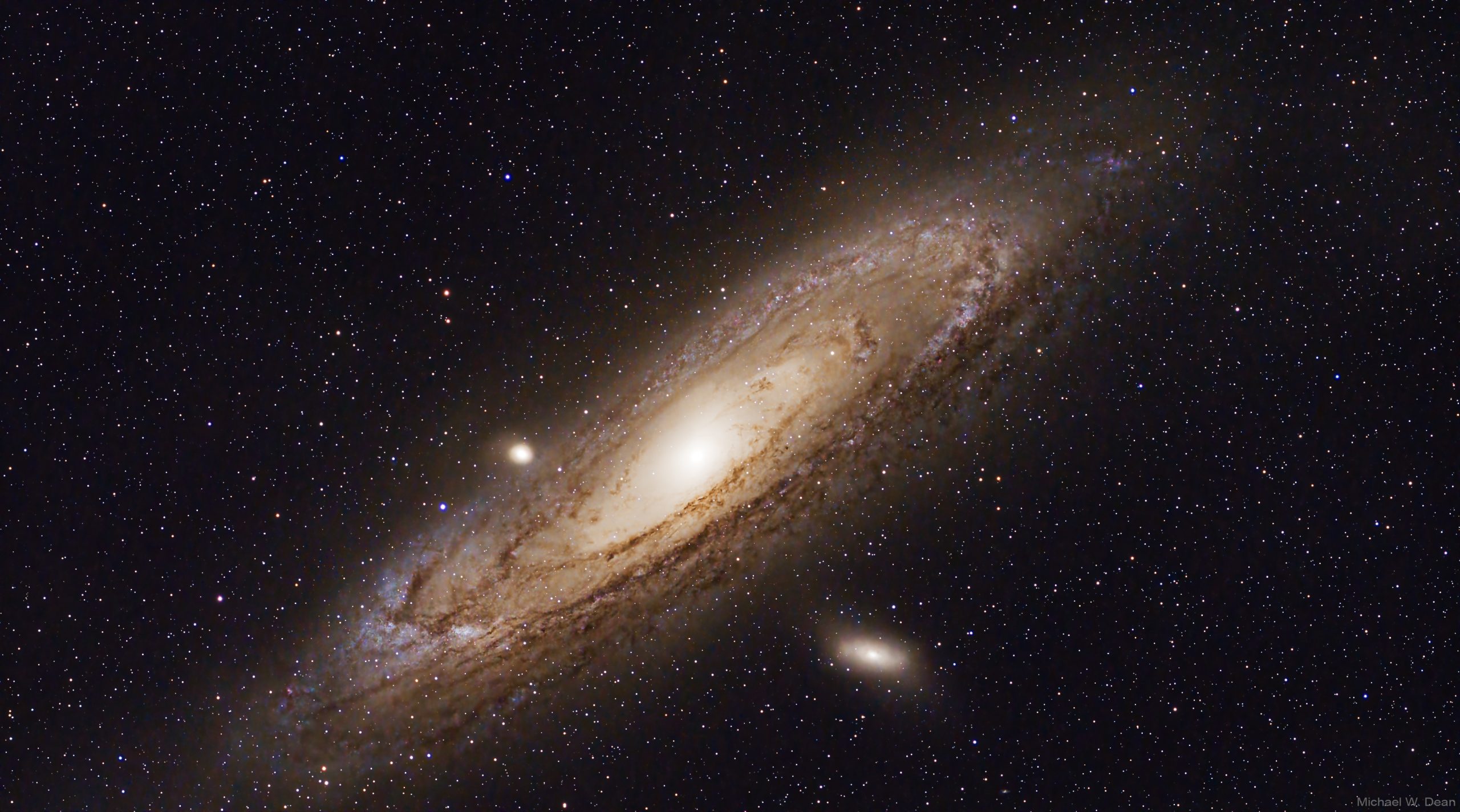
2 hours, 12 minutes, 30 seconds of Andromeda Galaxy (not cropped to show Player One Uranus-C Pro camera sensor dimensions with this gear):
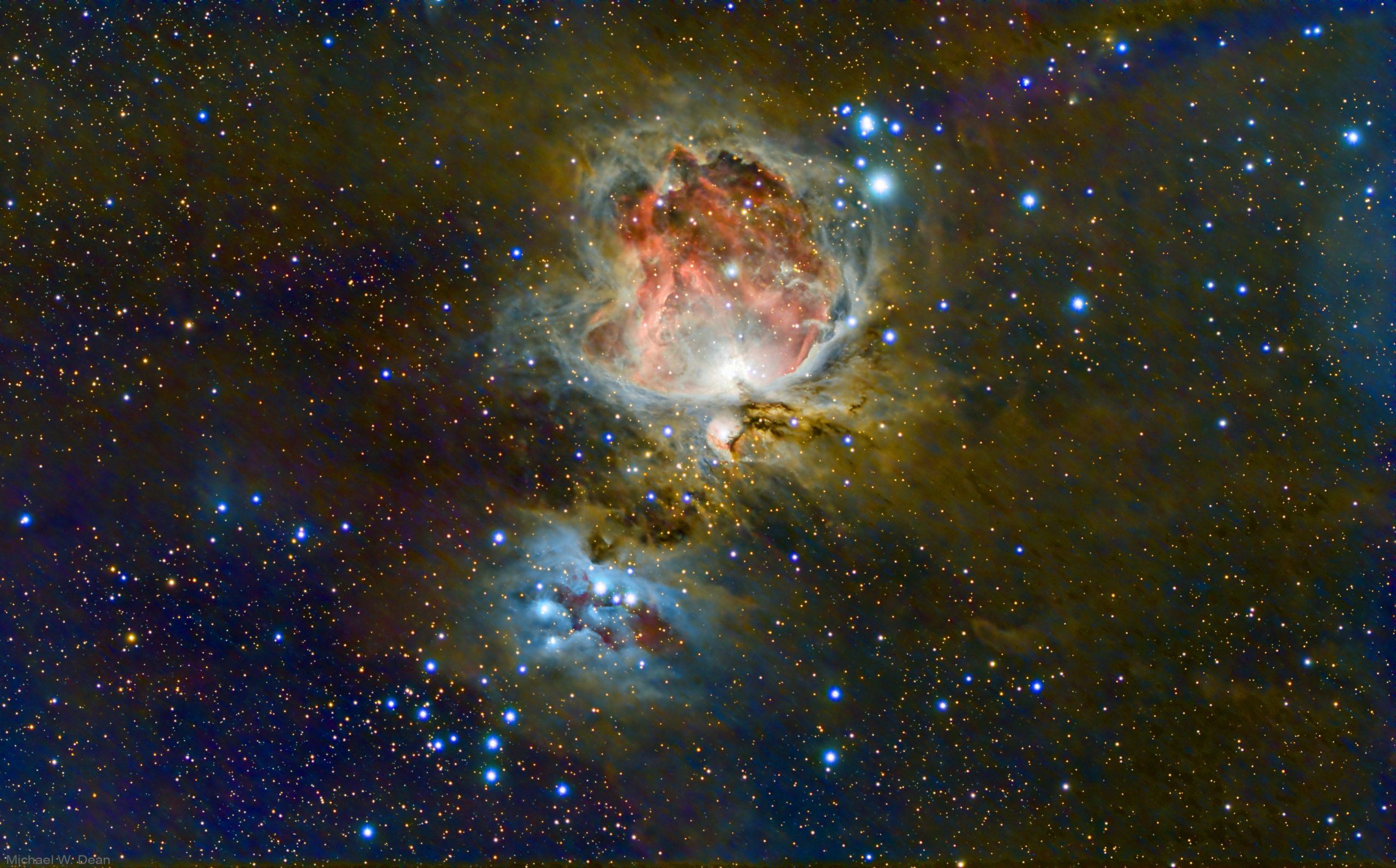
33 minutes and 40 seconds on Orion Nebula (cropped):
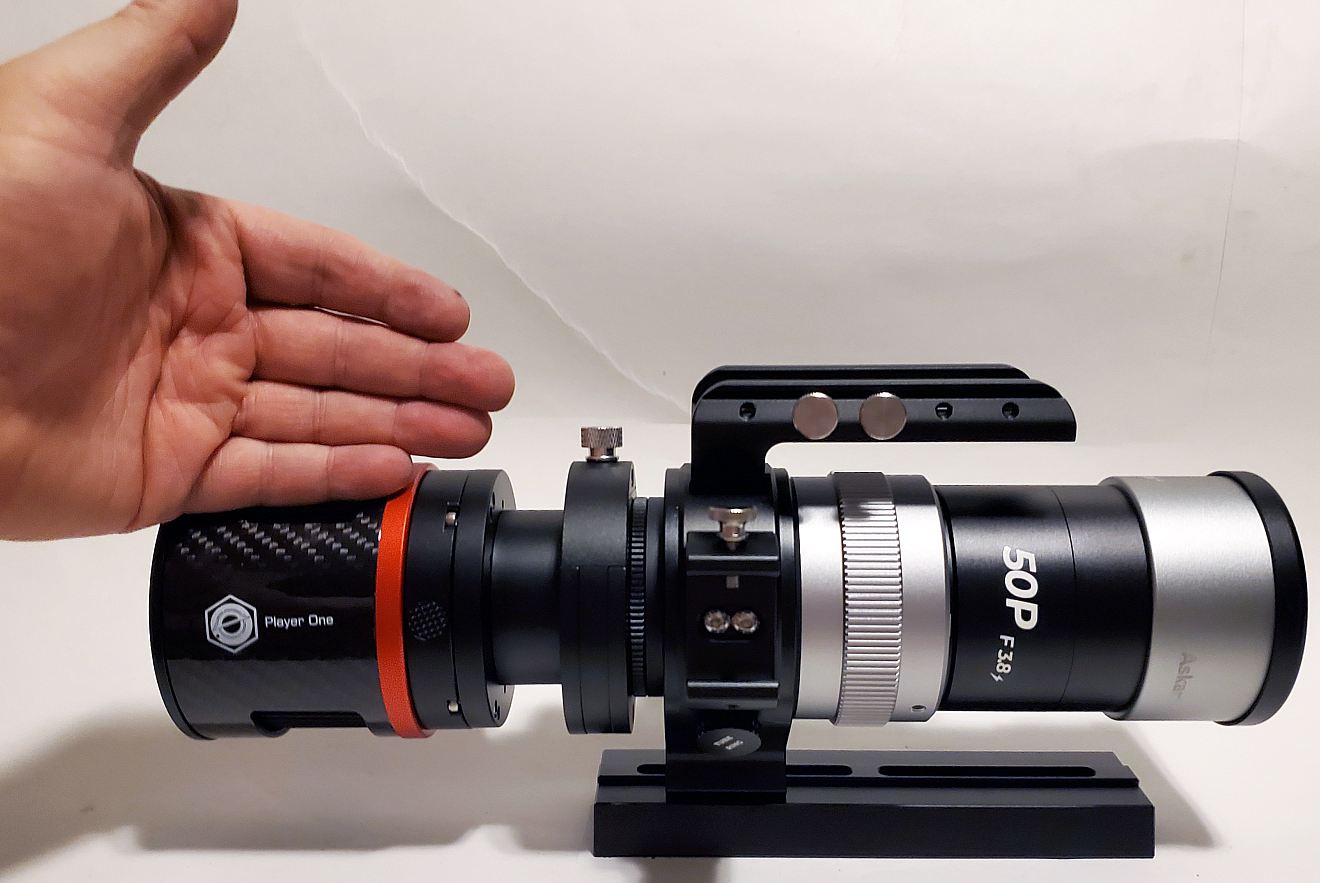
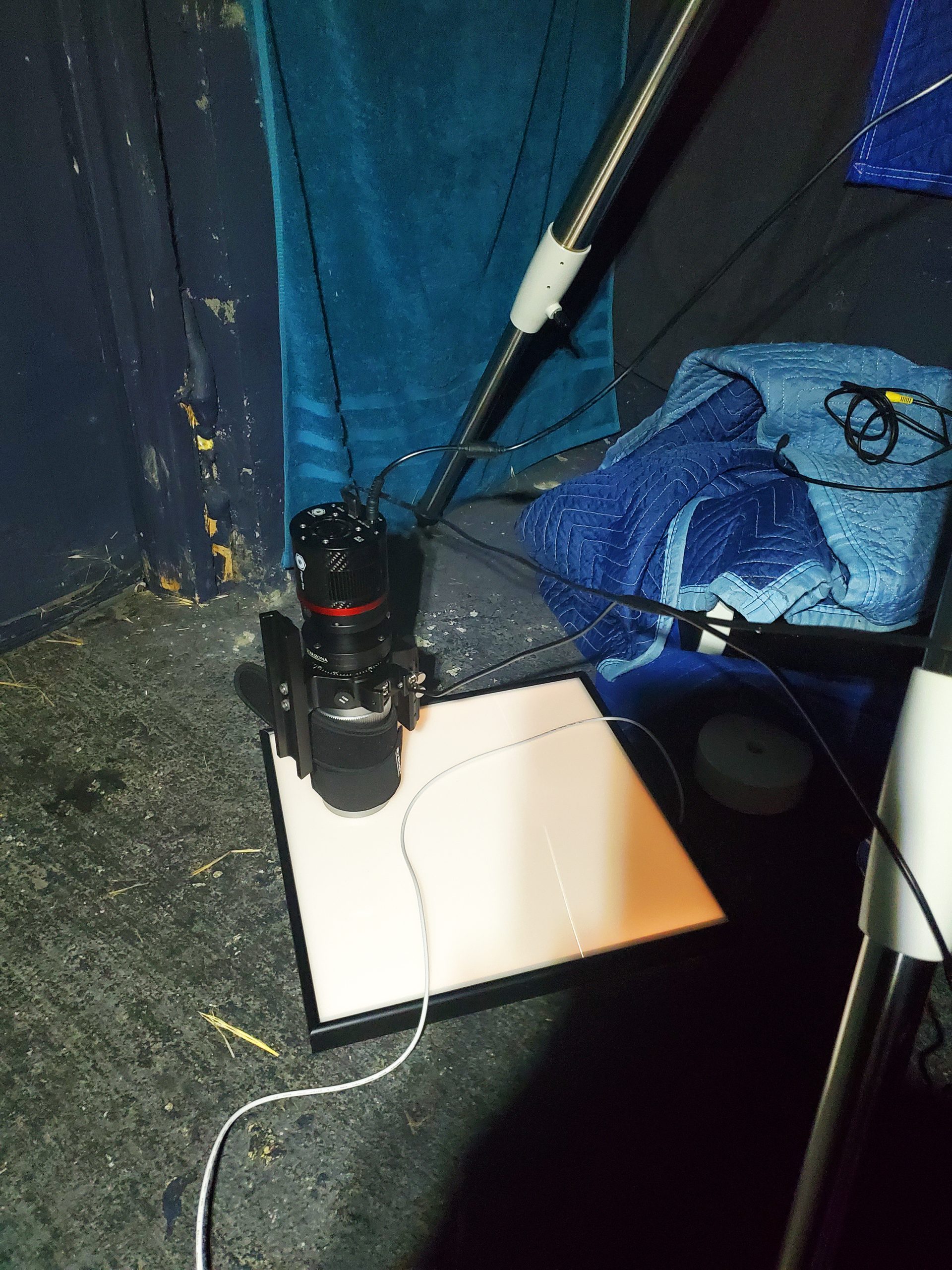
The cam and scope: (pix with mount in action at bottom of post)
THE PERFECT BEGINNER ASTRO SETUP FOR UNDER 2000 US dollars. Also a great second mount for non-beginners like me. I’ll use it so I can run two mounts at a time, and also never have to take my heavy larger scope of my larger mount.
I got a second astro setup so I can shoot two targets at once to maximize my few clear Oregon nights. Also so I don’t have to take my big scope off the big mount ever.
Scope: Askar 50P Petzval
Cooled camera: Player One Uranus-C Pro
Chinese manufacturer Player One, does send to USA.
US seller, Hutech, sometimes has them in stock.
Mount: Sky-Watcher EQ-AL55i Pro EQ mount
Optional pier extension:
This scope, mount, and cam, Total was 1688 USD. The shots look really good. Detailed tech specs here on my AstroBin.
Askar 50P scope is 50 mm aperture and fast f/3.8. Focal length is wide, 190 mm.
So last night I got it polar aligned and shot with it. But had to do a lot of up and down of keys on the free SynScan controller app to get it to the targets. I’m shooting from Bortle 2 (rural farm)
It’s very possible to be polar aligned (in a relative way), and have it stay from night to night if you don’t bump the mount or tripod.
Tonight I opened the AstroHut roof, turned the scope upright with the SynScan app (I had to store it sideways to shut the roof, just like with my big scope / mount)
Was still polar aligned. Tried GoTo, nope. Went wildly away from my target.
Spent 90 minutes fucking around with “3-star alignment” (which I joke that it sounds like some b.s. astrology reading a fortune teller would do for money), but had issues.
But I got GoTo to work on this mount, dead on, using free SynScan app and Bright Star Alignment, using 2 stars far apart from each other in the sky.
I didn’t need to do that process with my big scope, since the ASIAIR uses plate solving (taking pictures of star fields and matching them to a database of stars.) And that mount stays polar aligned for months, since it’s on a steel pier anchored into 9 inches of poured, reinforced concrete)
I have no guide scope on this cam, and it’s not connected to the computer. Just the camera is connected to a computer, using SharpCap pro, which is how I do polar align, image capture, and plate solve. (Though I am not feeding the plate solve data back into the mount, at least yet.)
Tip: you can keep polar align if you don’t undo the clutches except to fine-tune polar align if it gets a little out. Use the app to move the mount head. I even do that to turn it sideways to shut the AstroHut roof at night. I do that on my big scope too.
I’m running this mount with no electronic focuser (manually focusing with SharpCap’s Focus Assistant at start of each night..I didn’t focus M42 as well as M31), and am using no guide scope. It is working so far, but I’m shooting 30-second and 60-second subs. Here’s the M45 I shot with this setup and 90-second subs.
Eventually the plan is to be able to shoot two targets a night, one with each mount. I tried one night of tracking this scope piggybacked on the big scope (not shooting with big scope) but that has more chance of flexure, due to the mounting details.
Would be nice to do that some night and shoot the same target close up as well as wide, though I could also do that with 2 mounts. Also no dither is set up, but I’m using “poor man’s dither”, just the fact that the expected periodic errors of the worm gears are moving the subs a little apart. That’s good to prevent walking noise. Video here of subs in Blink will make that make more sense.
It’s nice to be out of the ASIAIR prison. Can’t use non Zwo cams with ASIAIR, because it’s an intentionally locked-in walled garden. I can actually do things it can’t do with this too, especially if I hook mount to computer. Like PPEC. PPEC can be done with the SynScan app, doesn’t require computer, but may put off until if/when I add a guide cam, since it will undo “poor man’s dither.”
So far I’m just using the app for mount and computer is only connected to the imaging camera. But it’s working fine like this. Wide scope, so doesn’t amplify details the way a more powerful one does.
I bought this whole second setup with what I sold my Zwo cooled Mono cam for used. Mount was 719 bucks, pier extension was 100 dollars (optional, but gets it up higher which is good, also allows you to shoot higher in the sky, basically to Zenith with this scope, without scope bumping mount), camera was $569, and scope was $300. Total was $1688 USD.
I added a filter drawer and this 27 dollar UV/IR cut filter, since this cam does not have one, allows stars to look tighter.
I’m cooling this camera to -10 C while shooting. Also added a dew strip to the scope since it’s already cool at night here.
Great little setup, especially the scope and cam. Highly recommend.
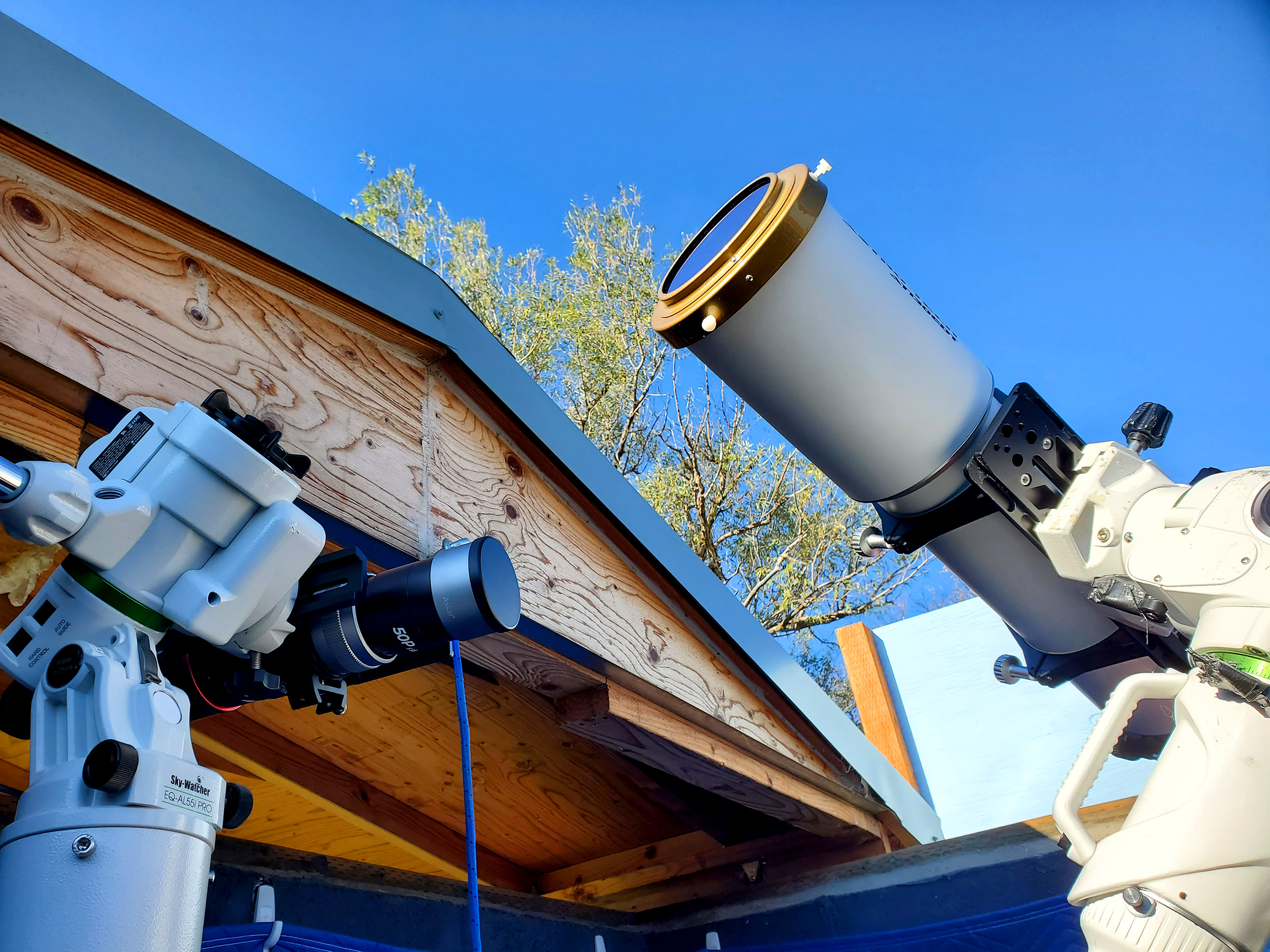
This setup shooting the above Andromeda Galaxy near zenith:
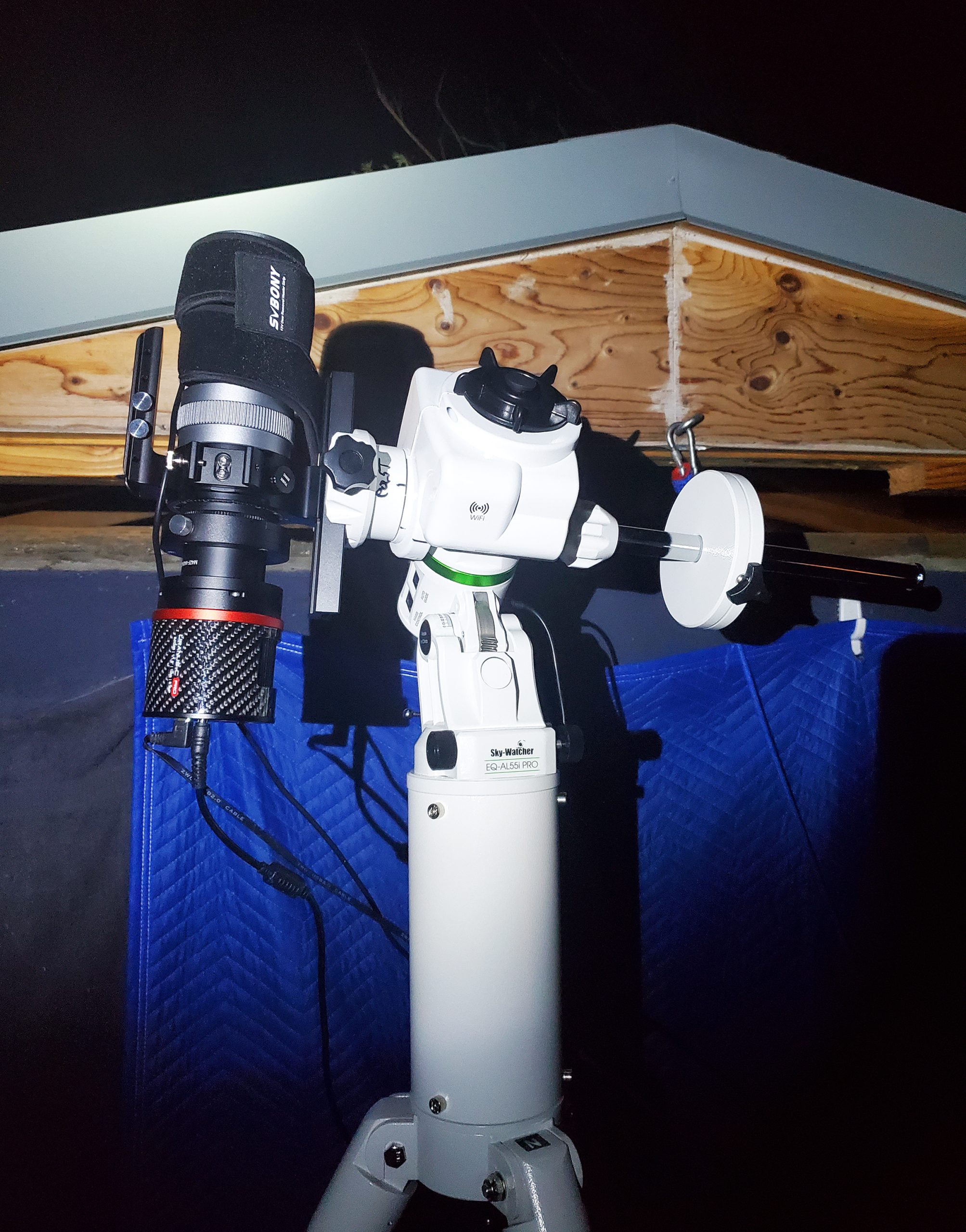
Shooting Flats with the scope, camera still cooling:
My AstroHut with roof open shooting solar on the big setup, showing the smaller new setup to the left